Introduction
Getting visitors to your website is an important step in growing your business, but traffic alone does not guarantee customers. You might have a professional-looking website, publish blog posts regularly, and invest in digital marketing, yet still struggle to generate enquiries.
The problem is not always the number of visitors. Sometimes, visitors cannot find the information they need, do not trust the business, or encounter difficulties when trying to contact you.
The good news is that several practical improvements can help turn more website visitors into potential customers. Here are seven areas worth reviewing before spending more money on advertising.
1. Make Your Main Offer Clear
When someone visits your website, they should quickly understand what your business offers, who it helps, and what they should do next.
Avoid vague headlines that sound impressive but fail to explain your services.
For example, a website development business could use a headline such as:
Professional Website Design for Growing Businesses
Support it with a short explanation of your services and a clear call to action, such as “Request a Quote” or “Discuss Your Project.”
Keep the most important information near the top of the page so visitors do not have to search for it.
2. Improve Your Landing Page Experience
A landing page should match the message that brought a visitor to your website.
If someone clicks an advertisement for laptop repair at home, the landing page should immediately explain the laptop repair service, the service area, how appointments work, and how to request assistance.
Sending every advertising visitor to a generic homepage can create unnecessary confusion.
Review your landing page on both mobile and desktop devices. Make sure the headline, service details, pricing information where appropriate, and contact options are easy to find.
3. Make Your Website Faster on Mobile
Many people browse websites on their phones. If a page loads slowly, displays incorrectly, or shifts around while loading, visitors may leave before contacting your business.
To improve the experience:
- Compress oversized images and use modern image formats such as WebP.
- Remove unnecessary plugins and scripts.
- Enable appropriate page caching.
- Reserve space for images and advertisements to reduce unexpected layout shifts.
- Test important pages using Google PageSpeed Insights.
Pay attention to real-user Core Web Vitals data when available, rather than relying only on a single laboratory score.
A fast website does not guarantee more leads, but a smooth experience removes avoidable obstacles.
4. Build Trust Before Asking for Enquiries
Visitors may hesitate to submit a form if they cannot establish whether a business is legitimate and reliable.
Help them make an informed decision by displaying accurate business information, including:
- A clear About Us page.
- Working contact details.
- Genuine customer reviews, where available.
- Relevant project examples or case studies.
- Transparent service information and terms.
Never publish fabricated reviews, invented client names, or unsupported performance claims. Authentic evidence is more valuable than exaggerated promises.
For service businesses, explain what happens after a visitor submits an enquiry. Knowing whether they will receive a call, a quotation, or an appointment confirmation can reduce uncertainty.
5. Simplify Your Contact Forms
Long forms can discourage people from making enquiries, particularly on mobile devices.
Start by asking only for information you genuinely need. For many businesses, a basic enquiry form may require a name, phone number or email address, and a brief description of the requested service.
Use clear field labels and helpful validation messages. Make the submit button easy to tap, and display a clear confirmation after successful submission.
Most importantly, test the entire process. Submit a test enquiry from a mobile phone and confirm that the form reaches the intended inbox or CRM.
A form that looks correct but silently fails to deliver enquiries can waste both advertising money and potential customers.
6. Measure Leads, Not Just Website Traffic
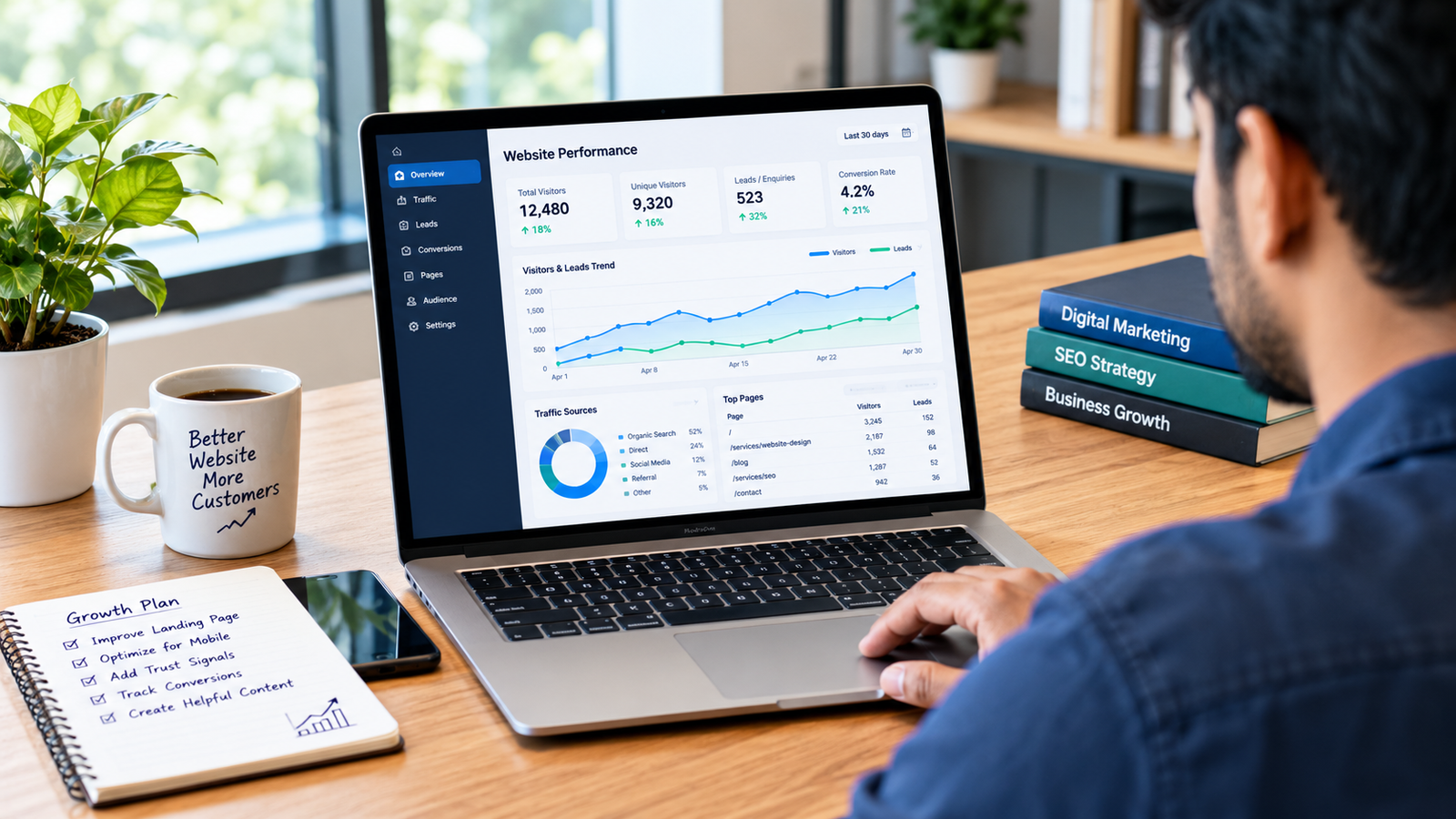
Website analytics can tell you how people interact with your pages, but businesses also need to know whether those interactions lead to meaningful enquiries.
Track relevant actions such as:
- Successful form submissions.
- Calls initiated from your website.
- WhatsApp enquiry clicks, if applicable.
- Bookings or quote requests.
- Qualified leads and completed sales, where measurement is available.
Google Analytics and Google Ads can help measure these actions when configured correctly. Test conversion tracking before relying on the reports to make budget decisions.
For example, an advertising campaign may generate many clicks but few qualified enquiries. The solution could involve improving keyword targeting, changing the landing page, fixing a form, or reviewing the offer.
Identify the actual problem before increasing the advertising budget.
7. Create Useful Content That Answers Customer Questions
Not every visitor is ready to buy immediately. Some are researching prices, comparing providers, or trying to understand which service they need.
Helpful blog content can support these visitors and introduce them to your business.
Consider articles that answer real customer questions, such as:
- What Should a Small Business Website Include?
- How Can You Choose an SEO Company?
- What Factors Affect Website Development Costs?
- How Can Businesses Measure Google Ads Performance?
Write from a clear understanding of the reader’s problem. Include practical examples, original screenshots where relevant, and links to genuinely useful service pages.
Avoid publishing multiple articles that repeat the same information with only a different city or keyword inserted. Each article should provide distinct value.
Useful content can attract relevant visitors over time, although rankings and traffic are never guaranteed.
How to Find Out Where Your Website Is Losing Leads
Before making major changes, examine your website data.
Google Search Console can show which search queries bring visitors to your pages. Google Analytics, when configured, can help you understand engagement and conversion behaviour. Your CRM or enquiry records can reveal whether submitted leads become actual customers.
Use the following simple diagnostic guide:
| What you observe | What to investigate |
|---|---|
| Few visitors | Search visibility, content relevance, and marketing reach |
| Visitors leave quickly | Page relevance, readability, and loading experience |
| Visitors read but do not enquire | Offer clarity, trust signals, and calls to action |
| Forms are started but not completed | Form length, mobile usability, and validation |
| Enquiries arrive but sales remain low | Lead quality, response time, and sales process |
These are starting points for investigation, not automatic diagnoses. Compare the data across relevant pages and traffic sources before deciding what to change.
Conclusion
A website should do more than attract visitors. It should help the right people understand your services, trust your business, and take the next step.
Start with the basics: communicate your offer clearly, improve the mobile experience, build trust, simplify enquiry forms, and measure genuine conversions. Then use your data to decide which improvements deserve the most attention.
If your business needs help with website development, search engine optimization, or digital marketing, explore the services available at 74Service.in and choose the solution that best fits your goals.
Recommended next step: Review one important landing page, test its enquiry form on mobile, and verify that a successful submission is recorded correctly. Small, measurable improvements are a better starting point than blindly increasing traffic.